Camera-verified missions
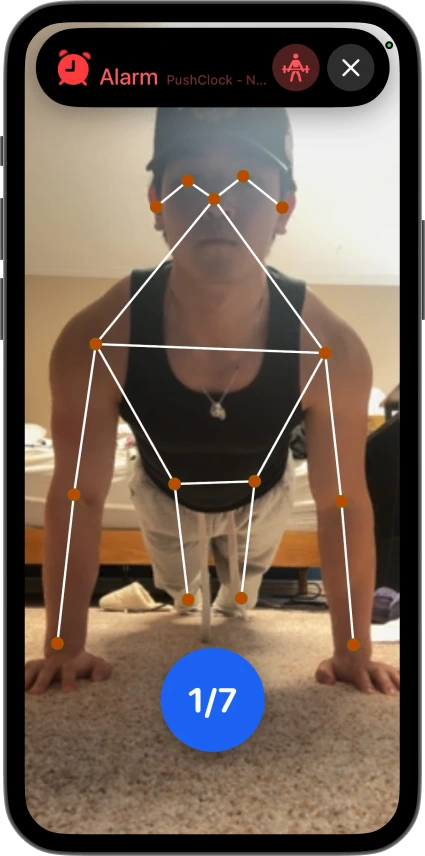
On-device vision counts your push-ups and squats rep by rep, and photo missions like making your bed get checked automatically.
 PushClock

Straight from the App Store, word for word.
See more mornings on TikTok · Instagram · all App Store reviews
#1 Alarm App
Three steps. No snooze button. No mercy.
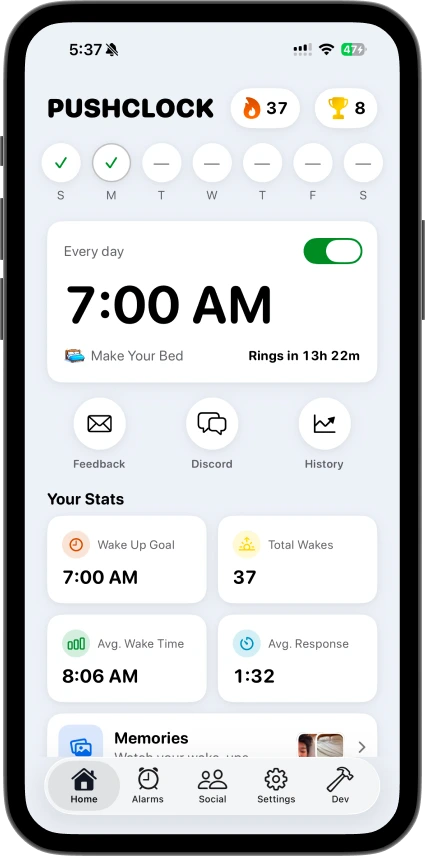
Pick your wake time and your mission. Go to bed knowing tomorrow is non-negotiable.
No snooze. No dismiss. Just a screen telling you what comes next.
Do the reps, snap the photo, or solve the puzzle, whatever you picked. Finish it and the alarm finally shuts up.
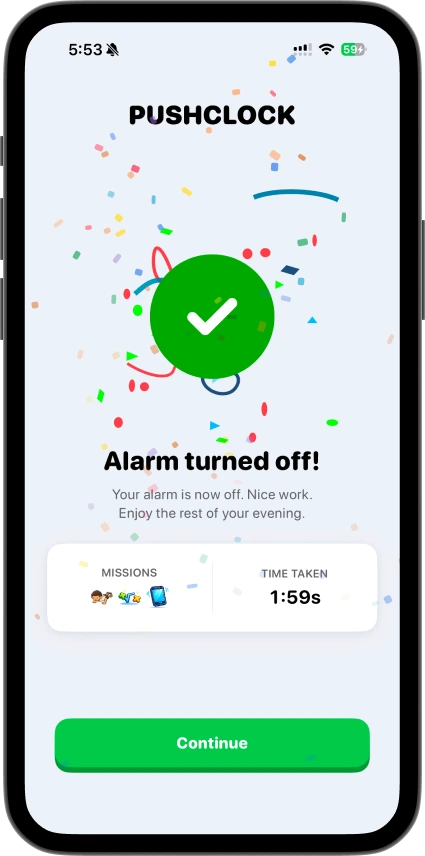
One alarm, a whole menu of missions. Pick whatever actually gets you out of bed.
Get your body out of bed.
 Push-ups
 Squats
 Sit-ups
 Jumping jacks
 High knees
 Plank
Plank Squat hold
 Dance
Dance 50 steps
 Shake it
Show the camera you're really up.
 Make your bed
 Object hunt
 Pet hunt
 Touch grass
 Sky photo
 Custom photo
 Draw it
 Recreate a meme
Wake your brain before your body.
 Math
Math Memory game
 Guess the flag
 Language quiz
 Tongue twisters
 Bible verse
Popular: push-up alarm clock · math alarm clock · photo alarm clock · no-snooze alarm clock
Every feature exists for one reason: making sure you don't go back to sleep.
On-device vision counts your push-ups and squats rep by rep, and photo missions like making your bed get checked automatically.
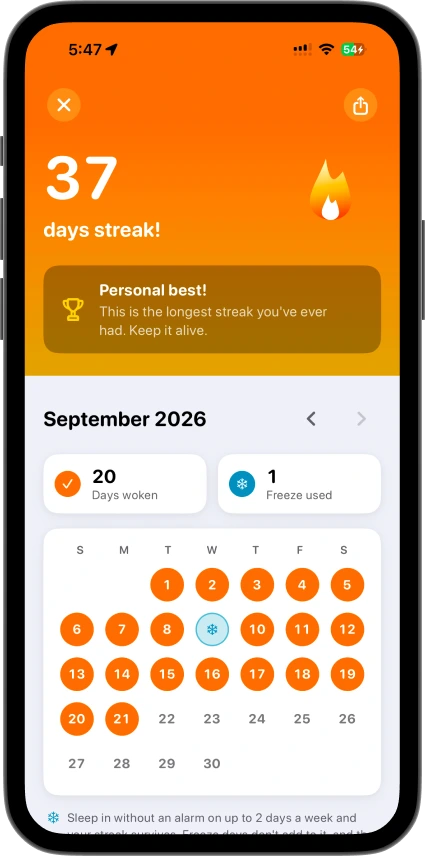
Watch a streak build day after day. The longer it gets, the harder it is to break.
Easy to brutal. Dial in the target and difficulty per mission. Start gentle, ramp up over time. Your alarm, your rules.
Form validation flags incomplete reps, and photo and movement missions are checked too. No shortcuts. Sorry.
Loud by design, with vibrate, custom and randomized sounds, extra app icons, and a proper dark mode.
See your last week of sleep at a glance, read from Apple Health on iPhone or Health Connect on Android, so you know why 6am hurts.
Invite friends to a private squad and see who actually got up. Leaderboards rank everyone by streak or average wake time.
Leave the mission and the alarm comes right back. On iPhone you can also block distracting apps until the mission is done.
The front camera tracks your body's pose in real time using on-device machine learning. Every full down-up cycle counts as one rep.
One you can't switch off half-asleep. PushClock's mission alarms have no snooze button, and the alarm keeps coming back until you finish a task that needs you awake: push-ups, a photo of your made bed, a round of math. If you leave the app mid-mission, it rings again. Read more in our guide to the alarm clock for heavy sleepers.
More than 25. Move (push-ups, squats, sit-ups, jumping jacks, high knees, plank, squat hold, dance, steps, shake), prove it with a photo (make your bed, object hunt, pet hunt, touch grass, sky photo, custom photo, drawing, recreate a meme), and brain games (math, memory, guess the flag, language quiz, tongue twisters, Bible verse). Pick one per alarm, or let PushClock choose at random.
Not a mission alarm. There's no snooze, and tapping dismiss only opens your mission. The alarm keeps re-ringing until you finish it. For days when you want a plain one-tap alarm, you can set a Normal Alarm instead. See how the no-snooze alarm works.
Pick a mission that isn't a workout: solve some math, win a memory game, hunt down an object, or snap a photo. The point is the friction, not the format.
PushClock schedules real system alarms (AlarmKit on iPhone and the alarm-clock channel on Android), which are designed to sound even when the ringer is off or a Focus or Do Not Disturb mode is on. It also pushes the volume back up if you try to turn it down mid-alarm.
For push-up and squat counting, pose detection runs entirely on-device and frames are discarded immediately, so nothing leaves your phone. For photo missions (like making your bed), the single photo is sent securely to verify it, then discarded, never stored or added to a profile. See our Privacy Policy for details.
You can try. Exercise missions validate full-body form and won't accept partial reps or arm-waving, and photo and movement missions are checked too.
PushClock is free to download. Setting alarms requires a subscription; current pricing and any introductory offer are shown in the app before you pay anything.
iPhones running iOS 26 or later, and Android phones running Android 12 or later. Get it on the App Store or Google Play.
Yes. Wake Squads are invite-only groups where members see each other's daily wake-up results and compete on a leaderboard by streak or average wake time.